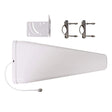
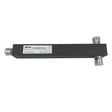
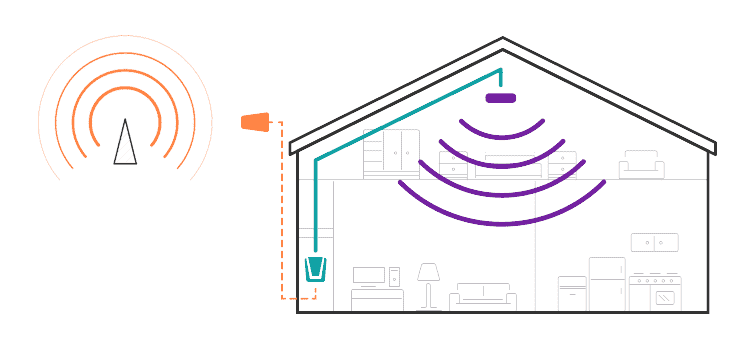
| In the area of best signal, identify the best location for attachment of the mounting bracket – such as an attic cross or main beam and place the new Quad-Band Signal Antenna at or near that location. Important: Assemble the Signal Antenna mounting bracket as shown below. SECOND: Disconnect the coaxial cable from the existing booster Base Unit and connect to the zBoost Signal Combiner.  Existing RG-59 or RG-6 should not exceed 50 feet. If the cable length exceeds 50 feet, it should be replaced with RG-11. RG-11 should not exceed 100 feet. The zBoost DataBlast requires at least 15 feet of vertical separation between the Base Unit and the Signal Antenna. Generally, increasing this distance (up to 40 feet) will increase the performance and decreasing the distance will limit the performance of both boosters. THIRD: Connect one end of the zBoost Signal Combiner to the DataBlast Base Unit and the remaining end to the existing booster. Assemble the Base Unit and Base Unit Antenna and position the antenna vertically. This Base Unit uses an omni-directional antenna that delivers signal in a circular pattern around the antenna. Place the Base Unit in desired location – where you want to create a Cell Zone™. For the widest possible signal area, it is recommended that you position the Base Unit near the middle of a room. The Base Unit can be placed on a flat surface (e.g., a bookshelf, desk, end table, etc.) and performs best when located at least 4 feet above the floor or approximately the height of a cell phone when it is typically in use (avoid placing the Base Unit on the floor). Keep the Base Unit at least 2 feet away from other cords, metal objects or other wireless devices such as wireless routers or wireless access points. The zBoost DataBlast performs best when there are no obstructions between the Base Unit and your mobile device. Important: The cable connections should remain hand-tight. Once you have the base units in their permanent location, verify that all three connections remain secure. FOURTH: Connect the DataBlast Base Unit to the provided power supply and plug into a power outlet. When your zBoost system is in place and fully connected, walk throughout your home or office and verify that you have fast, reliable data speeds. If the signal strength has improved, your zBoost is working. Remember, coverage varies based on outdoor signal level, building construction, and antenna placement. Coverage in adjoining rooms will be reduced by walls and building materials. For increased performance, an upgrade Signal Antenna (CANT-0041) is recommended. Upon initial power up, a solid GREEN light should appear indicating normal conditions. If a RED light appears, adjustments may be needed to optimize performance. If you find the increased signal coverage is acceptable, however, no additional adjustments are needed. See Base Unit Light Indicators below for more information. Note: Phones display only LTE OR voice signal at any given time. The best indicator of product’s performance is data speed and voice coverage. Upon initial power up, a solid GREEN LED should appear indicating normal conditions. If a RED light appears, adjustments may be needed to optimize performance. If you find the increased signal coverage is acceptable, however, no additional adjustments are needed. Should you desire to improve coverage, you may: - Relocate the Signal Antenna in order to capture a better signal –higher is usually better.


- Increase the distance between the Base Unit Antenna and the Signal Antenna.
LED Base Unit Indicators | At Initial Power Up Only | | Solid GREEN | Normal condition at power up. | | Slowly Alternating RED and GREEN | zBoost is working, but at reduced performance and coverage due to “non-ideal” setup. Solution: Increase the distance between Signal Antennas and Base Unit Antenna to achieve maximum performance and coverage. | | Fast Flashing RED | Indicates insufficient distance between the Signal Antennas and the Base Unit Antenna. The amplifier is operating at significantly reduced coverage. Solution: Increase distance between Base Unit Antenna and Signal Antennas. | | Solid RED | System is receiving signal from either the mobile device or the base station transceiver that is too strong for proper operation. Solutions: (1) Move away from receiving antenna with your cell phone. (2) Move antenna away from other devices. | | Fast Alternating RED and GREEN followed by no light | The amplifier is disabled. Solution: Unplug and start over. | | After Initial Power Up | | Solid GREEN | Normal condition. | | Blinking GREEN | Inconsistent power source – power supply may need to be replaced. Contact technical support. | | Solid RED | System is receiving signals from either the mobile device or the base station transceiver which are too strong for proper operation. Solution: Please unplug your system. Re-orient your Signal Antenna and/or Base Unit Antenna to reduce the excessive signal source. Plug your system back in. If still solid red, call customer support 1-800-871-1612. | |